
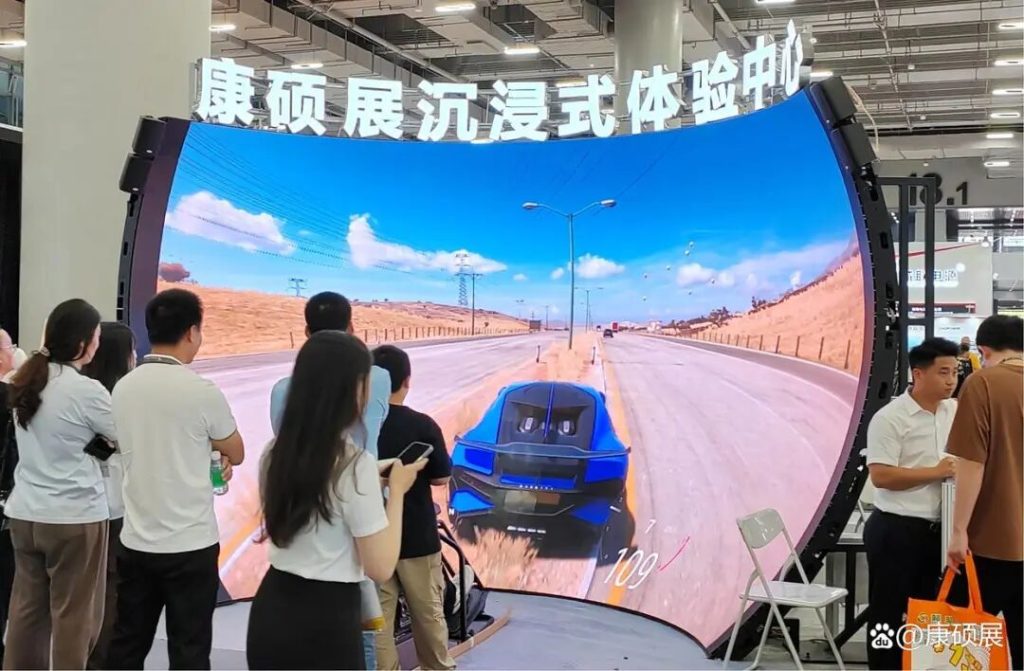
The core value of a dome cinema within a science and technology museum lies in the fusion of “Technology + Popular Science,” creating an “immersive knowledge transfer” scenario for audiences. Its design must balance technical expertise, experiential comfort, and popular science functionality, forming a complete solution ranging from space planning and equipment selection to operational adaptation. Wehop Team will unfold actionable design and implementation strategies across the following six core modules.
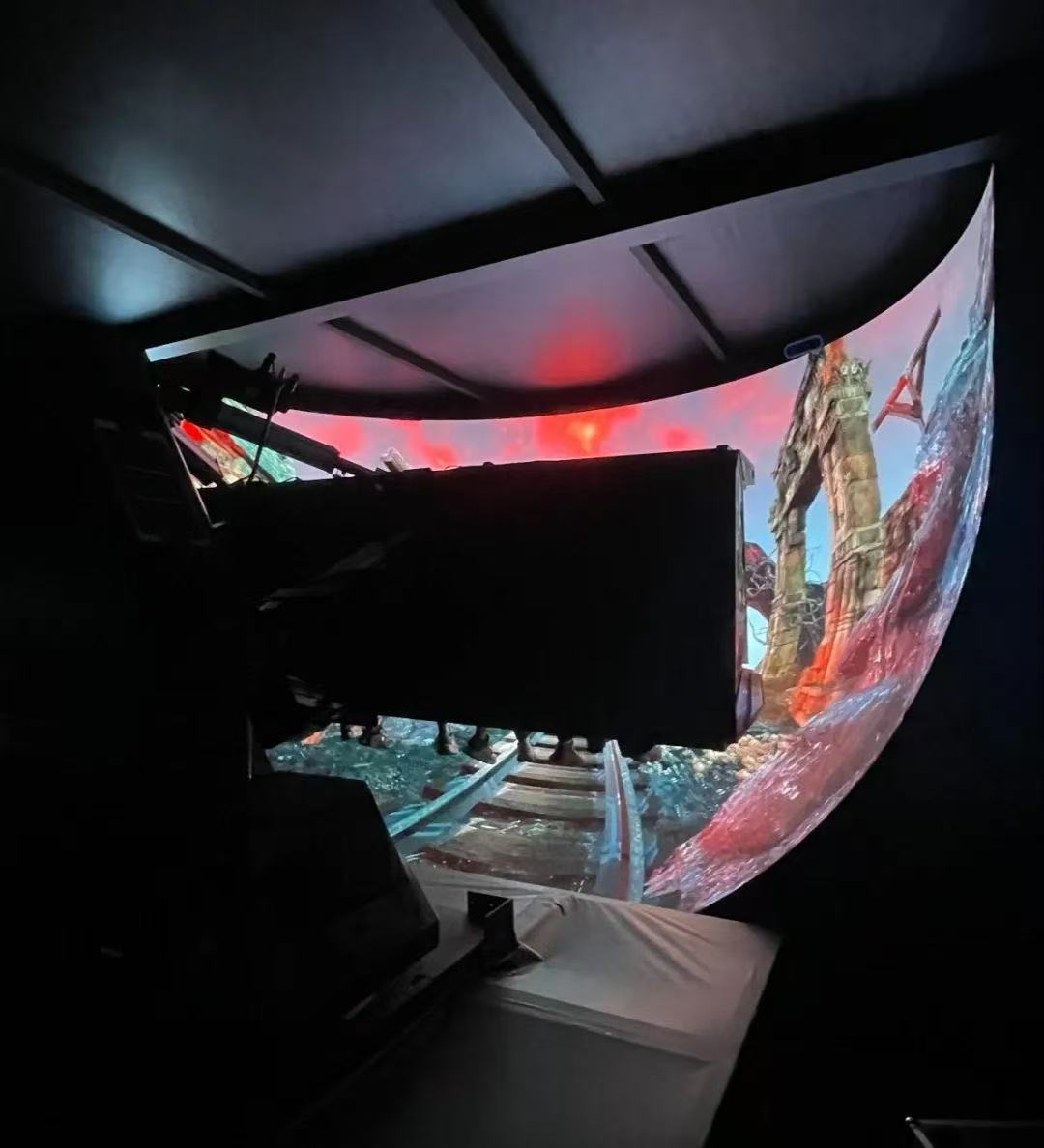
I. Core Space Planning Design: Venue Layout Adapted to Dome Characteristics
1. Site Selection and Basic Conditions
Science museum dome cinemas must prioritize “large space, low interference” requirements. Site selection should follow three main principles:
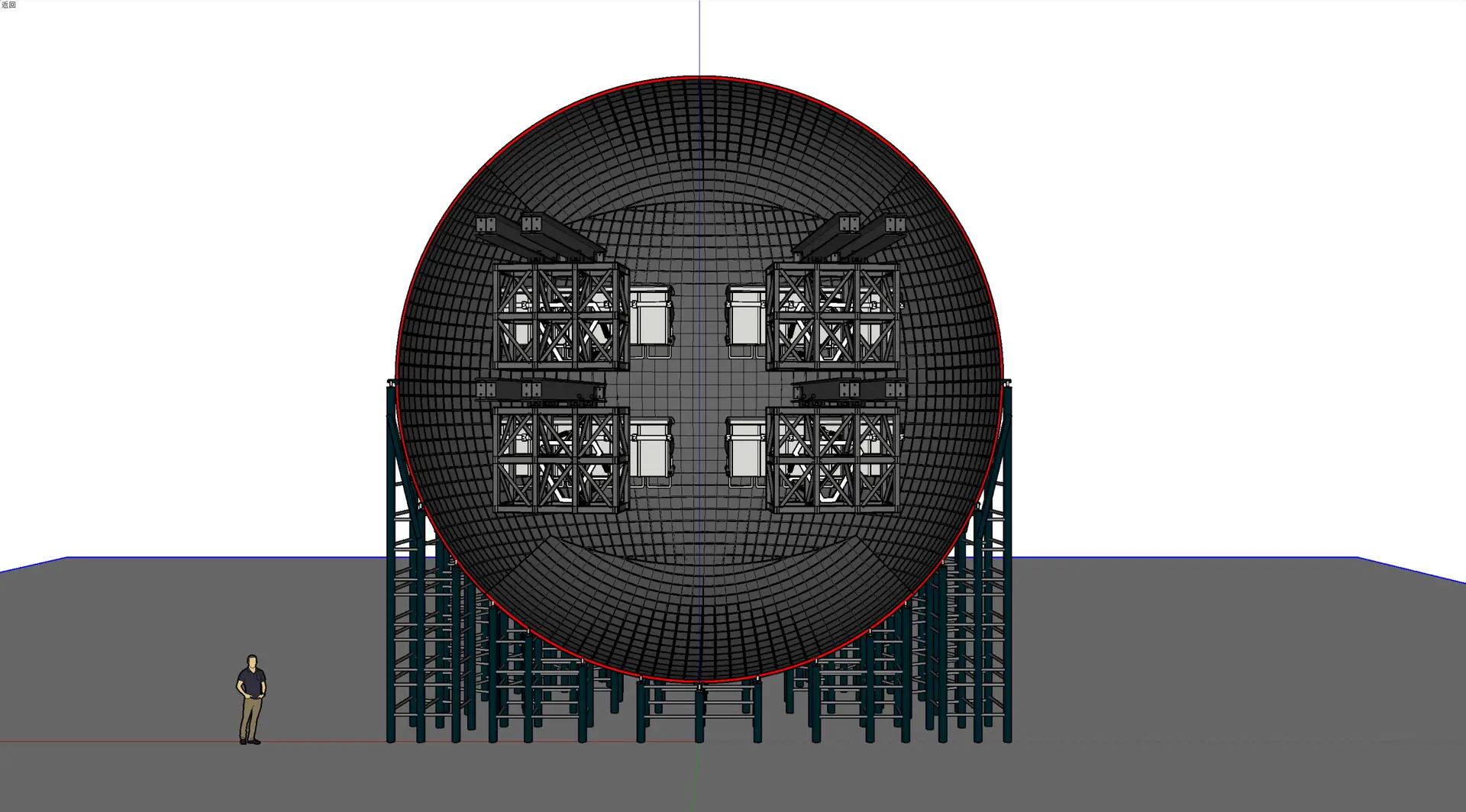
Ceiling Height Requirements: Hemispherical domes typically have a diameter of 15-25 meters (12-18m for small/medium museums, 20-25m for large museums). The venue’s clear ceiling height must be ≥ dome radius + 2.5 meters (reserving space for equipment installation and maintenance). For example, a 20-meter diameter dome requires a clear height of ≥12.5 meters.
Load-Bearing Capacity: Floor load-bearing must be ≥800kg/㎡ (to support the dome structure, audio, and servers), while the audience seating area requires ≥300kg/㎡.
Soundproofing and Shading: The venue requires professional soundproofing (wall sound insulation ≥40dB) to prevent external noise interference. The dome area needs 100% blackout capability (using double-layer blackout curtains + sealed window frames) to guarantee screen contrast and color reproduction.

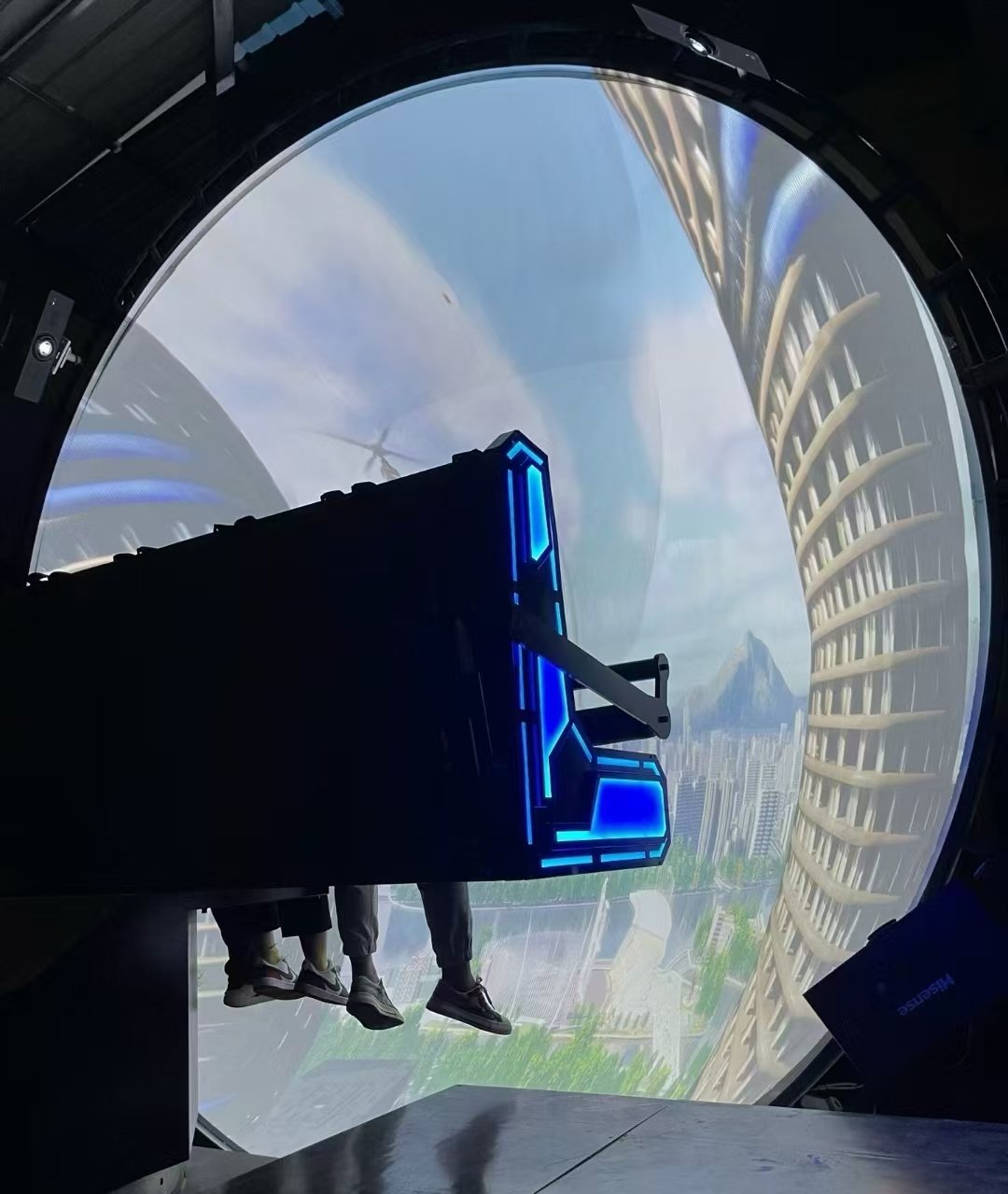
 Soarin’ Around the World
Reasonably divide the space into “Viewing Area, Equipment Area, and Auxiliary Area” to balance experience and operational efficiency:
Viewing Area: The core consists of the hemispherical dome and seating layout. Seats should be arranged in an arc following the dome’s curvature, with row spacing ≥1.2 meters (ensuring passage space) and a height difference between rows of ≥0.15 meters (avoiding obstruction). It is recommended to reserve 2-3 accessible seats (for wheelchairs) and configure 1-2 rows of dedicated parent-child seats (seat width increased to 60cm, equipped with child safety belts).
Equipment Area: Includes an HVAC room (area ≥20㎡, requiring ventilation and heat dissipation systems, temperature controlled at 18-25℃), an audio control room (adjacent to the viewing area for real-time sound adjustment), and a film server room (next to the projection room, requiring dust-proof and anti-static treatment).
Auxiliary Area: The entrance features ticketing and security checkpoints. A “Popular Science Warm-up Area” (area ≥30㎡) should be set up before viewing, displaying models and graphic panels related to dome films (e.g., space-themed films paired with planetary models). The exit should feature an Interactive Message Area (equipped with touch screens for audience feedback on the viewing experience).
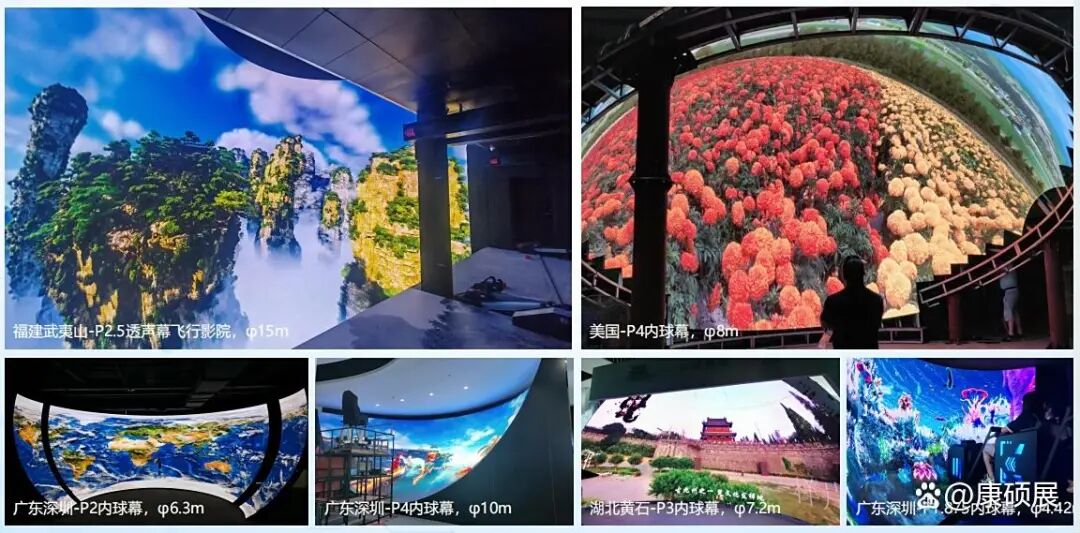
II. Core Hardware Design: Technical Selection of Dome Screen and Audio
1. Hemispherical Dome Design: Balancing Image Quality and Immersion
The screen is the “core carrier” of the dome cinema. Selection must focus on three key parameters:
Material Selection: Adopt LED internal dome screens to provide ultra-high definition image quality of 8K and above.
Curvature and Size: Screen curvature must match the audience’s field of view (FOV). Usually, the horizontal distance from the dome’s center to the first row of seats is ≥ 1.2 times the screen radius, ensuring audience FOV coverage of 180°-220°. For example, with an 18-meter diameter screen, the first row is approximately 10.8 meters from the center, achieving 200° visual envelopment.
Maintenance Characteristics: The dome surface needs anti-fouling and wear-resistant properties (wipeable surface), and maintenance access tunnels must be reserved (removable frames at the dome edge for periodic cleaning and replacement).
2. Dome System Design: High-Definition, Seamless Image Presentation
The dome system is the “key guarantee” of image quality, and selection must align with the museum’s film needs (mostly large-scene popular science films):
Resolution and Equipment: Small to medium-sized science museums are advised to adopt “4K Ultra HD Dome Screens”; large museums can upgrade to “8K and above Ultra HD Dome Screens” to accommodate films requiring fine detail, like Universe Exploration.
Blending Technology: Utilize “Edge Blending + Geometric Correction” systems to ensure brightness differences at image seams are ≤5% and geometric distortion rates are ≤1%.
Film Server: Select professional servers supporting 8K resolution and multi-format decoding (storage capacity ≥20TB, supporting external USB drive updates), and build a dual backup system (real-time synchronization between main and backup servers, switching time ≤3 seconds).
3. Audio System Design: 360° Surround “Scene-Based Sound Effects”
The audio must match the dome visuals to create an immersive “sound-picture synchronization.” Design points are as follows:
Equipment Layout: Adopt a “5.1.4 Panoramic Sound System”—3 main speakers in front of the dome (covering mid-high frequencies), 2 surround speakers on the sides, 4 overhead/sky speakers above the audience area (recreating “starry sky sound effects” or “high-altitude scene sounds”), and low-frequency speakers under the seats (enhancing vibration sensations, such as in earthquake or volcano eruptions scenes).
Sound Calibration: Debug audio parameters according to the viewing area size, ensuring the sound pressure level difference across every seat is ≤3dB (avoiding areas where volume is too strong or too weak). Based on popular science film characteristics, preset sound effect templates like “Universe Mode” (enhancing low frequencies to highlight the vastness of space) or “Nature Mode.”
III. Audience Experience Optimization Design: Adapting to All Age Groups
1. Seat and Viewing Angle Design
Seat Selection: Use electric adjustable reclining chairs (backrest angle adjustable range 30°-75°). Seat fabric should be breathable and sweat-proof (suitable for long viewings); armrests should include cup holders and USB charging ports. Children’s seats should be equipped with adjustable headrests (suitable for children under 1.2 meters).
Viewing Angle Optimization: The optimal viewing angle is a “15°-30° elevation angle from the line of sight to the dome center.” Plan seat rows accordingly—taking a 20-meter diameter dome as an example, it is recommended to set 8-10 rows of seats, with rows 4-6 being the golden viewing area, marked as “Recommended Seats” to guide audience selection.
2. Lighting and Interaction Design
Environmental Lighting: The viewing area uses “dimmable LED strip lights.” Lights fade to 5lux 5 minutes before the show starts (avoiding strong light irritation to eyes) and fade up to 30lux upon conclusion (guiding orderly departure). The popular science warm-up area features “starry ceiling lighting” (simulating the night sky, echoing the theme of dome films).
Interactive Functions: Small touch screens are installed on seat armrests (allowing audiences to query film knowledge points in real-time, e.g., clicking the screen during Age of Dinosaurs to view introductions to dinosaur species). An “AR Interactive Screen” is set at the exit after viewing (audiences scan ticket QR codes to take photos with film characters, enhancing shareability).
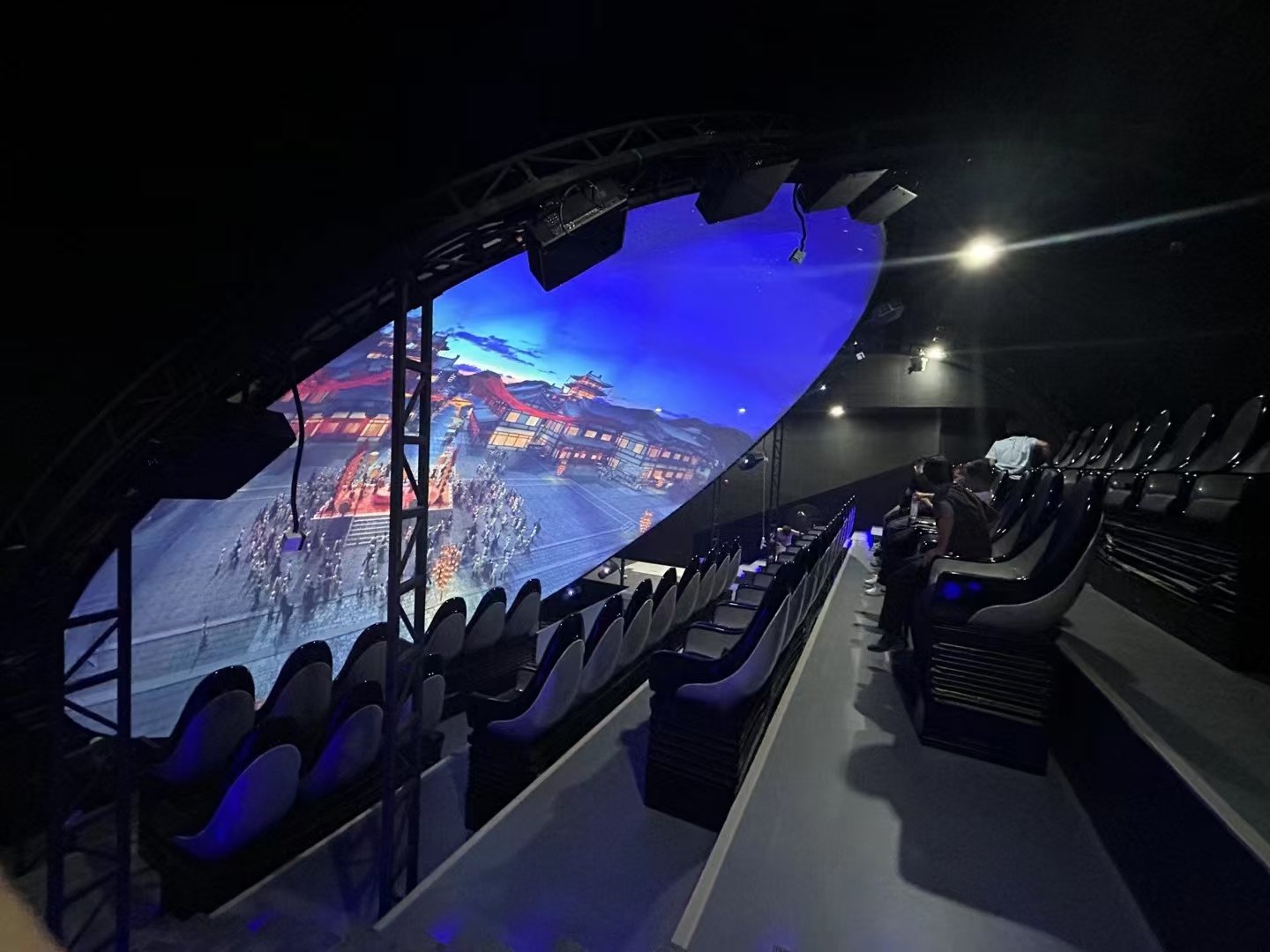 Dome Theater
IV. Popular Science Function Adaptation Solutions: Making the Dome Cinema a “Mobile Science Classroom”
1. Film Content Customization and Updating
Film Type Planning: Science museum dome films must center on “popular science.” It is recommended to stock films in four major categories: “Astronomy & Universe,” “Natural Geography,” “Life Science,” and “History of Technology Development,” with ≥5 films per category. Ensure monthly updates of 1-2 new films (e.g., updating “Universe Theme” films on the 1st of the month, and “Nature Theme” films on the 15th).
Localized Content Integration: Customize films combining the unique features of the region where the museum is located. For example: Inner Mongolia Science and Technology Museum could customize Exploring the Grassland Starry Sky (integrating local elements like yurts and Milky Way observations); Hunan Science and Technology Museum could customize The Ecological Code of Dongting Lake (combining local wetland ecology knowledge).
2. Popular Science Supporting Services
Pre-show Explanation: 5 minutes before each screening, a museum guide (or AI voice) introduces core knowledge points in the film (e.g., explaining “principles of season formation” before watching Earth’s Revolution) and distributes “Popular Science Manuals” (combining graphics and text to highlight key film content).
Post-show Interaction: Set up a “Popular Science Q&A Session” (10 minutes after viewing, where guides ask questions related to the film, and correct answers are rewarded with museum merchandise). For student groups, launch “Dome Science Courses” (e.g., cooperating with schools to integrate Solar System Exploration into primary school science practice classes, conducting “Planetary Model Making” activities after viewing).
V. Operations and Maintenance Solutions: Ensuring Long-Term Stable Operation
1. Daily Operational Management
Session Planning: Combined with museum opening hours (usually 9:00-17:00), schedule 4-6 viewing sessions daily (each session lasting 40-60 minutes, with 30-minute intervals for cleaning and equipment checks). Add 2-3 “Parent-Child Special Sessions” on weekends and holidays (playing popular science films suitable for children, such as The Little Dinosaur’s Wonderful Journey).
Ticketing Management: Adopt an “Online Reservation + Offline Ticketing” model. Online booking via the museum’s official account/mini-program (supporting seat selection), and offline self-service ticketing machines. Offer preferential tickets for students and seniors (50% off for students, free for seniors over 65 with valid ID).
2. Equipment Maintenance Plan
Daily Maintenance: Check dome equipment, audio systems (volume tests, sound effect template confirmation), and seats (electric function debugging, cleaning, and disinfection) daily before screenings.
Regular Maintenance: Conduct a comprehensive equipment inspection weekly (server storage, dome blending parameters). Clean the dome every 3 months (wipe with specialized cleaner, avoiding scratches), perform thorough troubleshooting every 6 months, and conduct audio system calibration annually (inviting professional teams to debug sound effects). Establish equipment maintenance archives, recording the time, content, and fault handling situation of each maintenance session.
VI. Safety and Emergency Solutions: Full-Scenario Risk Prevention and Control
1. Safety Design
Fire Protection and Evacuation: The viewing area must have 2 or more evacuation exits (width ≥1.2 meters), with emergency indicator lights at passages (brightness ≥10lux). Equip with dry powder fire extinguishers (1 set per 50㎡) and an emergency broadcast system (linked with the museum’s fire system).
Equipment Safety: Install smoke alarms and temperature/humidity sensors in HVAC rooms and server rooms (automatic alarm when temperature exceeds 30℃ or humidity exceeds 60%). Seat electric systems must have overload protection (avoiding stalls caused by malfunctions).
2. Emergency Handling
Equipment Failure Emergency: If dome or audio equipment fails, immediately activate backup equipment (switching time ≤3 seconds), apologize to the audience via emergency broadcast, and offer “refund or exchange” options. If immediate repair is impossible, arrange for audiences to watch subsequent sessions and present museum souvenirs.
Personnel Emergency: A medical first-aid kit (equipped with common medicines, tourniquets, etc.) is located in the viewing area. If any audience member experiences dizziness or discomfort (dome viewing may trigger slight vertigo), guide them to the rest area, provide warm water and seating, and contact medical personnel if necessary.
Summary: The “Design Core” of Science Museum Dome Cinemas
A science museum dome cinema is not merely a “stacking of technology,” but a carrier where “technology serves popular science.” Its design needs to revolve around the two major goals of “immersive experience” and “knowledge transfer.” By coordinating across dimensions of space, hardware, experience, and operations, it ensures both technical professionalism and stability while making popular science “come alive” through localized content and interactive functions, ultimately becoming the science museum’s “core attraction” and a memorable “popular science touchpoint” for audiences.